Gmail dark mode on desktop: the built-in theme and its gaps
Gmail is the one Google app that does ship a dark theme on the web. It is worth turning on first — and worth knowing where it stops.
Turn the built-in theme on first
Gmail is the exception among Google's web apps. Open the gear icon, then See all settings → Themes → Dark, or pick Dark from the quick theme panel. It is free, official, and does the interface properly.
What it does not cover
The theme darkens Gmail. It does not darken the contents of your mail. Any HTML email — newsletters, receipts, marketing — ships its own styling, usually on a white background, and Gmail renders it faithfully. So a dark inbox flashes white every time you open one, which is exactly the moment you were trying to avoid.
Choose one, not both
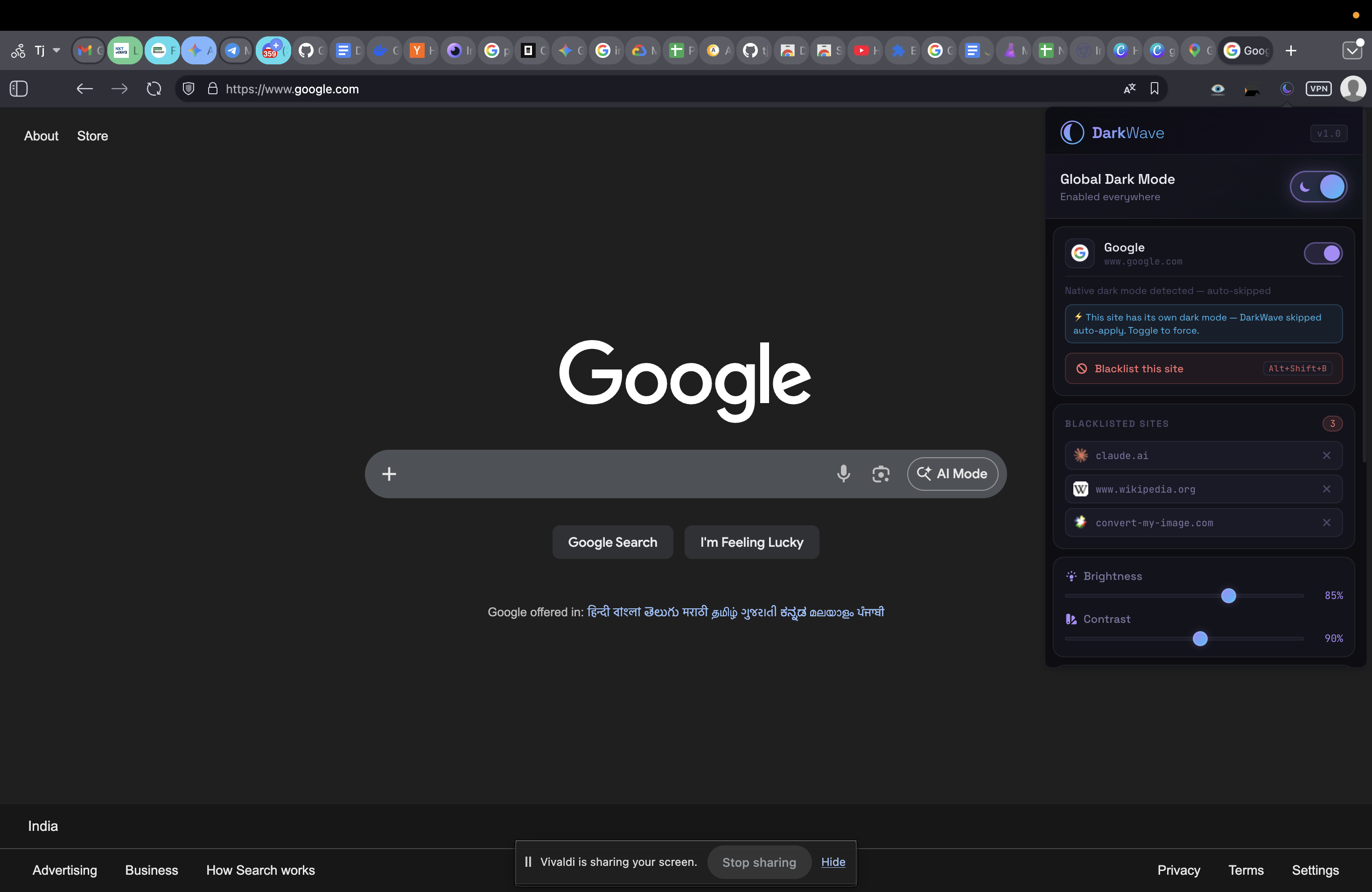
This is the part people get wrong. Applying an extension's dark mode on top of Gmail's own dark theme can invert it back to light — two negatives making a positive. DarkWave checks several signals before touching a page and skips ones that are already dark, so it will normally leave a dark-themed Gmail alone.
If you want the extension to handle Gmail so that message bodies are covered too, set
Gmail's own theme back to Light first, then let the extension do the whole
page. If you prefer Gmail's native look, keep the theme and use
Alt+Shift+B to exclude mail.google.com.
Worth knowing: the same extension covers Sheets and Docs, which have no built-in option at all. If Gmail is the only Google app you use, the built-in theme may be all you need.
Common questions
Does Gmail have a built-in dark mode?
Yes. On the web, open Settings, then Themes, and choose Dark. Unlike Sheets and Docs this is a real built-in option and you should try it before installing anything.
Then why would I use an extension for Gmail?
Because the built-in theme covers the Gmail interface, not the mail. HTML newsletters and marketing emails carry their own white backgrounds and arrive as bright rectangles in the middle of a dark inbox. An extension darkens the message body too.
Will it break the formatting of emails I send?
No. Nothing is applied to outgoing mail. The filter affects only how the page is painted in your own browser; recipients see exactly what you composed.
Can I use the Gmail theme and an extension together?
You can, but you usually should not. Two dark treatments stacked on the same page can cancel each other out and leave it light. DarkWave detects pages that already have a dark theme and skips them automatically, so pick one: either the Gmail theme, or the extension with the Gmail theme set back to light.
DarkWave is free and open to install. It darkens Sheets, Docs and every other site you open, skips sites that already have their own dark theme, and makes no network requests at all.